Smart Kitchen Display System for
Faster Service.
A high-performance Kitchen Display System (KDS) designed to eliminate paper trails, sync prep stations, and slash ticket times.
Avg. Prep Time
8m 42s
Active Tickets
4 OVERDUE
Station Load
GRILL AT CAPACITY
Appetizer
2m#2041
Main
14m#2042
Sides
Ready#2038
Dessert
5m#2044
Streamline Your
Kitchen Workflow.
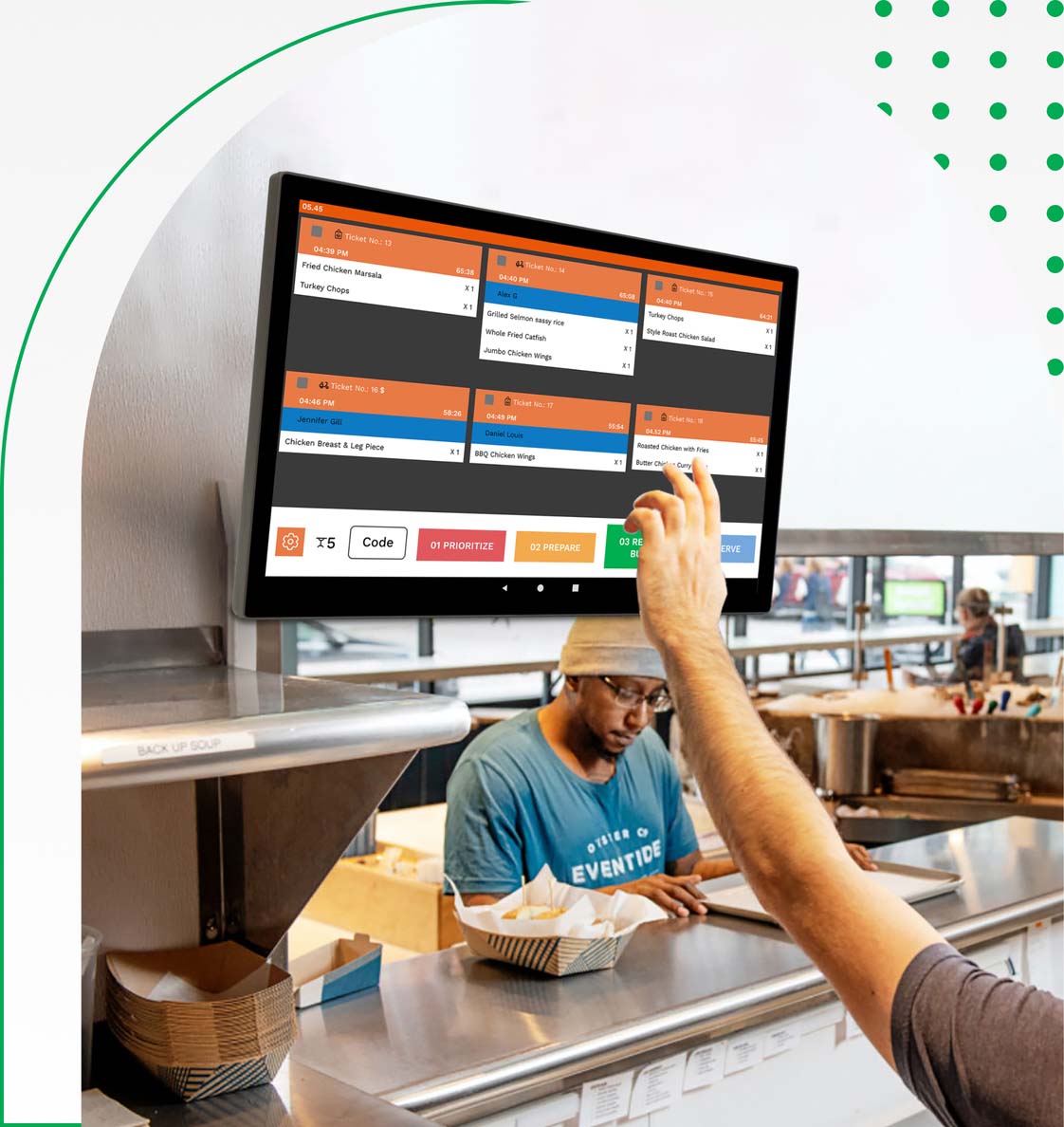
Our Kitchen Display System (KDS) replaces paper tickets with real-time digital order tracking. Improve communication between front-of-house and kitchen staff while reducing delays, errors, and food preparation time.
Core KDS Features
Real-Time Order Display
Instant Kitchen Order Updates
Real-Time Order Display
Orders instantly appear on the Kitchen Display System (KDS) the moment they are placed. No manual communication, no printed KOT delays. Fully auto-synced with POS, ensuring zero order miss-outs and seamless kitchen coordination.
Order Status Tracking
Live Preparation Status
Order Status Tracking
Track every order stage in real time: Pending, Accepted, Preparing, Ready, Served, and Completed. Improves coordination between chefs, captains, and billing staff while reducing customer wait time.
Priority & Timer System
Smart Cooking Control
Priority & Timer System
Built-in cooking timer for each order with visual countdown alerts. Automatically highlights delayed items and enables rush order priority handling to maintain service speed during peak hours.
Multi-Kitchen Support
Separate Kitchen Displays
Multi-Kitchen Support
Route orders automatically to dedicated kitchen screens such as Bar, Main Kitchen, Tandoor, Bakery, or Dessert Station. Supports multi-floor and multi-branch operations with centralized control.
Item Modifiers Display
Special Instructions Clearly Visible
Item Modifiers Display
Clearly displays item modifiers like Extra Cheese, Less Spicy, No Onion, Jain Option, Custom Add-ons, and more. Prevents cooking errors and ensures every dish is prepared exactly as requested.
Auto Order Sorting
Smart Queue Management
Auto Order Sorting
Automatic FIFO (First In First Out) sorting with category-wise grouping and chef-wise assignment. Optimizes workflow, reduces bottlenecks, and improves kitchen efficiency during rush hours.
Table & Token Integration
Dine-In & Takeaway Sync
Table & Token Integration
Displays table numbers for dine-in and token numbers for takeaway orders directly on the KDS. Ensures accurate serving and eliminates confusion during busy service hours.
Audio & Visual Alerts
Instant Order Notifications
Audio & Visual Alerts
Instant sound alerts and color-coded visual indicators for new orders, priority items, and delayed preparations. Keeps the kitchen staff proactive and responsive.
Performance Analytics
Kitchen Efficiency Reports
Performance Analytics
Track preparation time, chef performance, peak-hour workload, and delay reports. Gain actionable insights to improve kitchen speed and overall restaurant productivity.
Order History & Recall
Quick Re-Access to Orders
Order History & Recall
Access completed and cancelled orders instantly for reference or re-preparation. Helps resolve disputes and ensures full operational transparency.
Cloud-Based Sync
Centralized Multi-Branch Control
Cloud-Based Sync
All kitchen data is securely synced to the cloud. Monitor multiple branches, view live kitchen activity, and manage operations remotely from anywhere.
Staff Role Permissions
Controlled Kitchen Access
Staff Role Permissions
Assign role-based access for Head Chef, Line Cook, or Kitchen Manager. Restrict edits, cancellations, and status updates to authorized staff only.
Kitchen display System Benefits
Faster Service
Zero Paper Waste
Fewer Mistakes
Better Kitchen Workflow
From Counter to Kitchen in Seconds.
Order Entry
Customer orders are captured via POS, Tablet, or Online Store instantly.
Instant Sync
Tickets appear on the KDS instantly, sorted by priority and prep time.
Prepare
Chefs track cook times with color-coded alerts for overdue items.
Quality Check
Orders are bumped to the 'Ready' screen for final garnishing and expo.
Notify
Waiters get a buzz and customers see their ID on the pickup screen.
Trusted by Chefs
& Restaurant Owners
Real kitchens. Real results. Faster service powered by our KDS.
“After implementing the KDS, our kitchen coordination improved instantly. Orders are clear, modifiers are visible, and preparation delays have significantly reduced.”
Rahul Sharma
Head Chef, Spice Route
“The real-time order display eliminated confusion between the kitchen and service staff. No more missing KOT slips or manual errors.”
Neha Verma
Restaurant Manager, Urban Tadka
“With live order tracking and instant status updates, our workflow is smoother than ever. The KDS helped us serve customers faster and more efficiently.”
Arjun Patel
Owner, QuickBite Express
Frequently Asked Questions?
Everything you need to know about our Kitchen Display System (KDS) and how it optimizes restaurant kitchen operations.
What is a Kitchen Display System (KDS)?
A Kitchen Display System (KDS) is a digital screen used in restaurants to display orders directly from the POS system to the kitchen. It replaces traditional paper KOTs and helps chefs manage orders faster, reduce errors, and improve preparation efficiency.
How does KDS integrate with the POS system?
Our KDS is fully integrated with the POS. As soon as a customer places an order at the billing counter, the order instantly appears on the kitchen screen. This real-time sync eliminates delays and miscommunication between front-of-house and kitchen staff.
Can chefs update order status from the KDS screen?
Yes. Chefs can mark orders as Preparing, Ready, or Completed directly from the KDS screen. The status automatically updates in the POS system, ensuring staff and waiters always know the live order progress.
Does the KDS reduce kitchen errors and delays?
Absolutely. Since orders are digitally displayed with clear item details, modifiers, and special instructions, the chances of missed items or wrong preparations are significantly reduced. It also helps prioritize orders efficiently during peak hours.
Can the KDS handle multiple kitchen sections?
Yes. The system supports multiple kitchen sections like Tandoor, Bar, Bakery, or Main Kitchen. Orders can be automatically routed to the correct display screen based on item category for better workflow management.
What makes this KDS different from traditional kitchen systems?
Unlike paper-based KOT systems, our KDS provides real-time order tracking, preparation timers, performance analytics, and seamless POS integration. It improves speed, coordination, and overall kitchen productivity.
Request
Growth Access
Secure System Node // Connectivity Verified
STABLE